
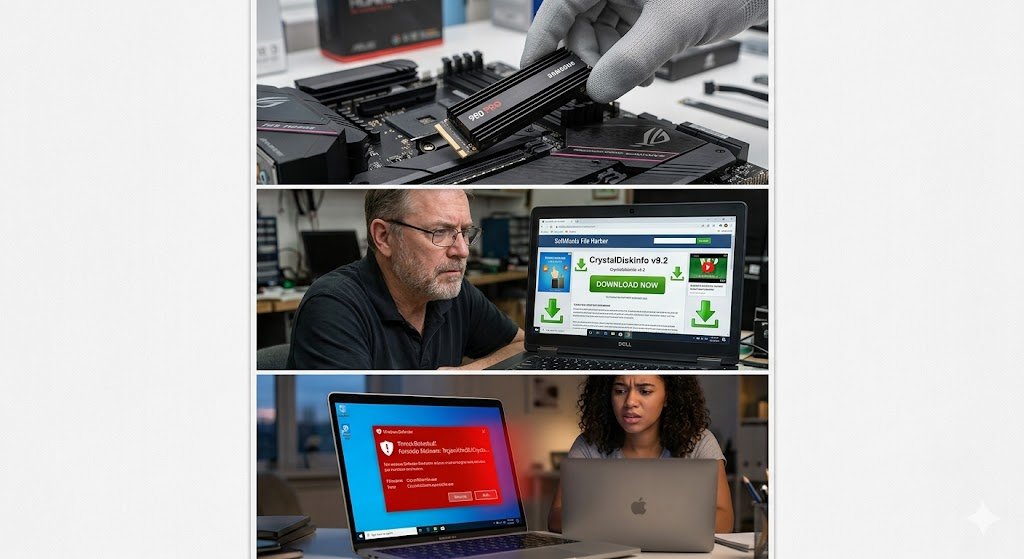
Is CrystalDiskInfo Safe? (Malware, Adware & False Positives Explained)
If you’ve noticed your computer slowing down, freezing, or making strange clicking noises, someone on the internet has probably told you to download CrystalDiskInfo. It is the gold standard for checking the health of your hard drives and Solid State Drives (SSDs). But before you click that download button, a very reasonable question pops up: Is CrystalDiskInfo actually safe?
The short answer is a resounding yes—but with a few important caveats regarding how and where you get it.
Let’s break down everything you need to know about this popular tool, including why your antivirus might be throwing a fit.
The Official Software is 100% Safe (And Open-Source)
When downloaded from the official source, CrystalDiskInfo is entirely safe, legitimate, and free of malware.
Created by a Japanese developer known as hiyohiyo, the program has been a trusted industry standard for over a decade. It works by reading your drive’s S.M.A.R.T. (Self-Monitoring, Analysis, and Reporting Technology) data. This translates the complex raw data inside your drive into an easy-to-read dashboard, telling you critical information like the drive’s temperature, how many hours it has been running, and most importantly, if any sectors are actively failing.
Furthermore, it is open-source software. This means the underlying code is publicly available for anyone to inspect. Cybersecurity experts and developers worldwide regularly review it, ensuring there are no hidden keyloggers, spyware, or malicious scripts baked into the official program.
The Danger Zone: Third-Party Downloads and Adware
If the software is so safe, why do people sometimes get viruses when installing it? The problem isn’t the software itself; it’s where they downloaded it.
Because CrystalDiskInfo is incredibly popular and free, shady third-party software hosting sites love to re-package it. If you download the tool from a random tech blog, a torrent, or an unverified software repository, you run a high risk of downloading a modified, malicious installer.
These fake installers often bundle:
-
Adware: Annoying pop-ups, browser hijackers, and toolbars that change your default search engine.
-
Bloatware: Unwanted “system optimizers” or fake antivirus trials that bog down your PC.
-
Malware: In worst-case scenarios, actual viruses and ransomware.
How to stay safe: Only download CrystalDiskInfo from the official developer’s website (Crystal Dew World) or their official SourceForge/GitHub repositories.
(Note: The official site offers a few different visual themes, including the “Shizuku Edition,” which features anime-style artwork. These anime versions are completely official and safe, though they sometimes confuse first-time users!)
Why Did My Antivirus Flag It? (The False Positive Dilemma)
So, you went to the official site, downloaded the clean version, and suddenly Windows Defender or Malwarebytes throws up a giant red warning. What gives?
This is what the cybersecurity world calls a false positive. Here is exactly why it happens:
-
Low-Level Hardware Access: To get accurate S.M.A.R.T. data, CrystalDiskInfo has to bypass the standard operating system layers and talk directly to your hard drive’s micro-controller.
-
Suspicious Behavior Patterns: Most standard programs (like your web browser or video games) never need this kind of deep, low-level hardware access. You know what does request that kind of access? Rootkits and severe malware.
-
Heuristic Scanning: Modern antivirus software looks for “suspicious behavior,” not just known virus signatures. Because CrystalDiskInfo pokes around in the deepest, most sensitive parts of your hardware, overly aggressive antivirus heuristics sometimes panic and flag it as a threat.
As long as you are 100% certain you downloaded the installer from the official source, you can safely tell your antivirus to ignore the warning and whitelist the program.
The Final
CrystalDiskInfo is an essential, perfectly safe tool for diagnosing failing hard drives and preventing catastrophic data loss. The software itself is not malware, and it will not harm your computer. Just be a smart surfer: stick to the official website and don’t let overly cautious antivirus warnings scare you away from keeping your hardware healthy.