
Standard vs Shizuku vs Aoi: Which CrystalDiskInfo Edition Should You Download?
If you want to check the health of your hard drive or SSD, CrystalDiskInfo is the absolute gold standard. But when you land on the official download page, you’re immediately faced with a confusing choice: should you download the Standard, Shizuku, Aoi, or Kurei Kei edition?
If you’re scratching your head over the CrystalDiskInfo Shizuku vs Standard debate, you aren’t alone. It’s one of the most common points of confusion for new users. Let’s break down exactly what these versions are, how they differ, and which one you should click download on.
The Short Answer: They Are Exactly the Same Under the Hood
Let’s clear up the biggest misconception right away: Every single edition of CrystalDiskInfo functions identically. Whether you download the barebones Standard edition or one of the colorful anime versions, you are getting the exact same diagnostic tool. They all read the same S.M.A.R.T. (Self-Monitoring, Analysis, and Reporting Technology) data, monitor your drive temperatures, and warn you of impending hardware failures with the exact same accuracy.
The differences between the versions are 100% cosmetic.
The Standard Edition: Best for Normal Users
For the vast majority of people—especially if you’re fixing a family member’s PC, working in a professional IT environment, or just want a quick diagnostic check—the Standard Edition is what you need.
-
Clean Interface: It features a straightforward, no-nonsense UI that displays your drive data clearly and professionally.
-
Small File Size: Because it doesn’t include massive audio or image assets, the download is incredibly lightweight and installs in seconds.
-
What to click: On the download page, look for the Standard Edition. We recommend downloading the Installer (EXE) version, as it is the easiest to set up and get running immediately.
Shizuku, Aoi, and Kurei Kei Editions: The Anime Experience
So, what are all these other versions? Over the years, the developer of CrystalDiskInfo created official anime mascots for the software to add a bit of fun to an otherwise dry utility.
-
Shizuku Edition: Features Suisho Shizuku, the original and most famous mascot. The interface is heavily themed with her artwork.
-
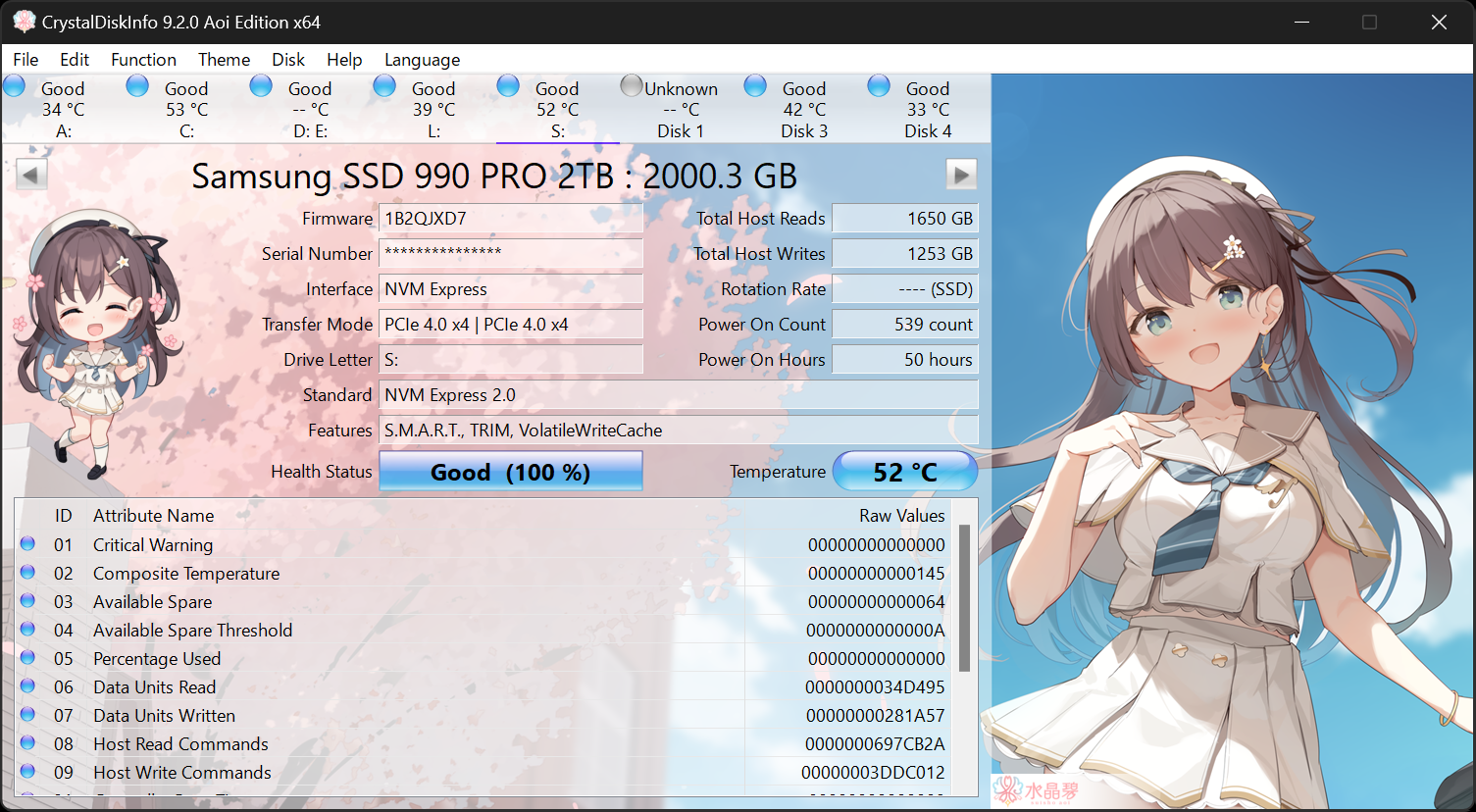
Aoi Edition: Features a secondary mascot character, Aoi.
-
Kurei Kei Edition: A special collaboration featuring a popular Japanese IT mascot named Kurei Kei.
What makes them different?
-
Anime Themes: The backgrounds, buttons, and overall UI are replaced with high-quality anime illustrations.
-
Voice Alerts: This is the biggest feature. If your drive gets too hot or encounters a critical error, these editions will actually speak to you in Japanese to warn you, fully voiced by professional voice actresses.
-
Larger File Size: Because of the high-resolution art and uncompressed audio files, these downloads are significantly larger (often hundreds of megabytes compared to the Standard edition’s few megabytes).
When it comes to CrystalDiskInfo Shizuku vs Standard, the choice comes down entirely to your personal preference for your desktop aesthetic.
If you just want to quickly check your SSD’s health, read your data, and move on with your day, download the Standard Edition (EXE). It is the practical choice for almost everyone.
However, if you are an anime fan, love customizing your PC with unique themes, and think it would be fun to have a Japanese voice actress yell at you when your hard drive overheats, feel free to grab the Shizuku, Aoi, or Kurei Kei editions! They are entirely safe, officially supported, and a genuinely unique piece of software history.